
Passwords Intro

Purpose⌗
The purpose of this lab is to introduce students to hashes, hash types, and password attacks. This lab will explore what hashing is and how it works, how to identify different types of hashes, ways to break hashes, and how to be secure when using hashing algorithms.
Background⌗
Key Terms:⌗
Cryptographic Hash Functions: A hashing algorithm which maps an arbitrary binary string to a fixed length binary string. What sets a Cryptographic Hash Function (CHF) apart from a Hash Function (HF) are the following properties:
(Strong) Collision Resistance: The probability of a particular n-bit output given two distinct string inputs is 2-n. What this means for every possible input, we have an equal change of any possible output. Making these functions excellent for storing something like a password, or being used to find a checksum of a file. We have a very low chance for a collision of hashes (which will be covered later) especially as the bit size goes up. This is the optimal design for security.
Preimage Resistance: The probability of finding an input string that matches a hash value (called a preimage attack) is 2-n. The resistance to this kind of attack is called the CHFs security strength. A CHF that has n bits of hash value is expected to have a preimage resistance strength of n.
Second Preimage Resistance: Given an input m1 it should be difficult to find a different message m2 where hash(m1) == hash(m2). This property is also called weak collision resistance.
Strong vs Weak Collision Resistance: What differentiates strong vs weak collision resistance comes down to how many messages you start with. Weak collision starts with a messages m1 then tries to find an m2 that would have a matching hash. Strong collision resistance would require the attacker to find two messages with the same hash, meaning you do not start with a given hash value, you are just trying to find any two messages that have a matching hash value.
All these given properties can give anyone confidence that a CHF will be the right choice in securing their data. Due to the fact that when an input string is changed the output hash will have to change, no matter how big or small the change is, you can know if the hash hasn’t changed the data should not have changed either.
Most Common Hash Attacks (Relating to Passwords): There are many potential attacks that can be used on hash functions, however, the most widely spoken of attacks are as follows;
Birthday Attacks won’t be covered because they are a theory and not a truly viable attack
Brute Forcing: Possibly the worst choice when it comes to trying to break a password. Although not quite the same probability of the Preimage attack, your odds are still significantly against you. Depending on the passwords you are trying to break, the attack gets exponentially harder, as you add different characters and digits, along with length, the password will begin to approach an impossible level of difficulty.
Rainbow Tables: This is a much faster attack, often netting decent results especially when looking at common passwords. This is a lookup table of passwords, with their associated hash. There are some difficulties here though. The passwords have been computed with a specific algorithm. Therefore they can only be used against that given hash. Though not a big deal especially for a specific attack. Oftentimes rainbow tables can be quite large, but they can be read through quickly as they are commonly loaded into RAM. Ophcrack has some of the best rainbow tables for cracking many hashes from older versions of Windows. They even have a 2TB table for Windows Vista!
Dictionary Attacks: This is your most common attack used against passwords. There are also many different variations to this attack. Just plain dictionary attacks are done by taking a given hash value, working through a given wordlist, hashing the passwords in the wordlist, and seeing if any passwords match up. There are also modifications that can be made to this attack, such as adding rules, which will make permutations to a word in a wordlist to hopefully counteract users who use things like leetspeak or added numbers and special characters to attempt to obscure a password. You can also combine multiple wordlists in a pattern such as {wordlist1}{wordlist2}. The main defense against this attack are KEY Derivation Functions which are much slower hash functions, these slow functions help to protect passwords by making guesses against a larger wordlist unreasonable because of how long it will take to guess the initial input.
Defense⌗
Defending against password attacks ultimately comes down to your end users, though, there can be some work done by administrators as well. You should have a password policy that ensures users have longer passwords. Complexity requirements are negligible if the password is too short, although complexity is great, just as long as it is paired with length. You should also ensure that users are not using common passwords. Especially anything in the rockyou.txt wordlists, the most common password list to attack off of. However, you cannot blame the users for everything when it comes to password security. You must ensure that passwords are being stored using a CHF. You also must ensure that this CHF is a secure algorithm. Today BCrypt is a widely used function that is a KDF, it is a very good choice for storing passwords. However, if your staff sends their passwords directly to an attacker… hashing, complexity, and length really don’t matter anymore. Therefore, as with all security topics, education will be your best friend in securing your environment.
Lab Setup⌗
- Machine: Kali Linux 2025-03
- Tools: Hashcat v7.1.2, rockyou.txt wordlist, Browserling.com
To start this lab I am going to generate a couple hashes for us to crack, they will contain a few different hash types, all of varying complexity to break (due to mathematical complexity not password strength).
The hash types used will be:
MD5
SHA1
SHA3-512
Whirlpool
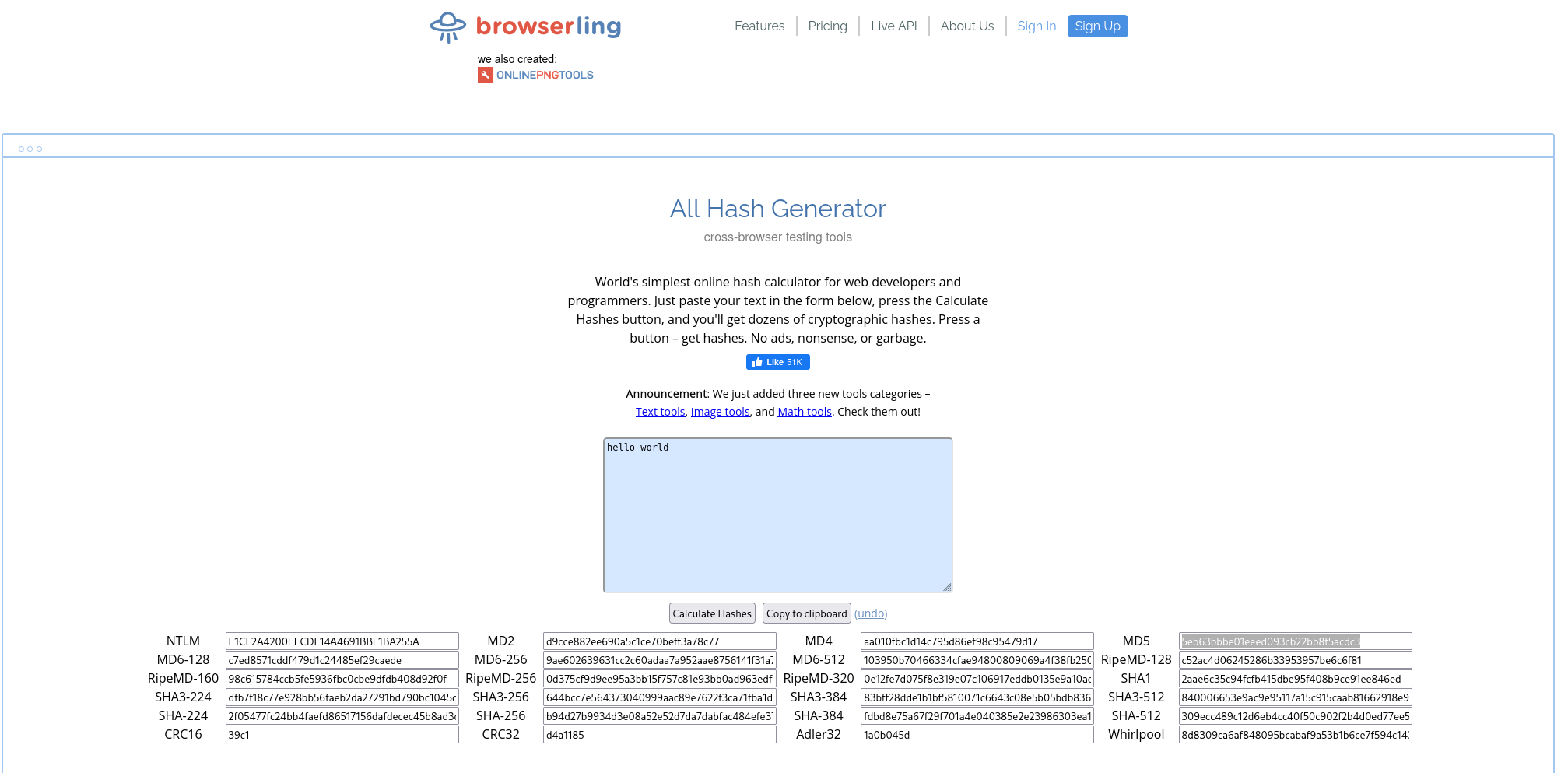
Generated Hashes
Hash 1:
5eb63bbbe01eeed093cb22bb8f5acdc3
Hash 2:
ee8d8728f435fd550f83852aabab5234ce1da528
Hash 3:
cab61bfb623faeb0ba7f70f467c2f861f265de6f8bc6af85a7188c9d855809a7da2c27fe01472df1c9079f63fa97d1647fd3f32802cbfeaea9a69aabefd25e1f
Hash 4:
c054f20568752c7be158d41e2c16b1c622cea9a1e1551fc48951a884ca184d94dd8b20b40a4c2543843ed9401b81ba1bf3210e5d3fd0a756819c90a19585377f
Lab Guide⌗
We have been given these four hashes that need to be analyzed. We are attempting to recover the plaintext of the hashes, we do not know anything about the victims but we can pretty confidently say the plaintext passwords were likely involved in the famous Rockyou Breach
Identifying Hashes⌗
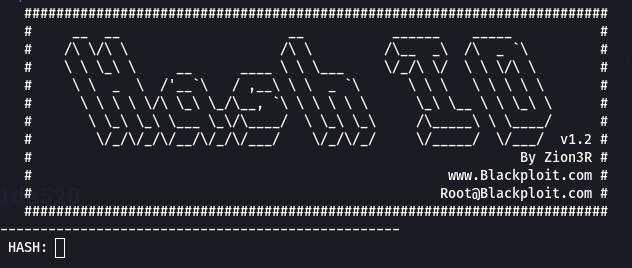
In order to identify our hashes we are going to use a tool called hash-identifier.
$ hash-identifier
After typing this command we will be greeted to this interface where we can begin entering hashes to identify.
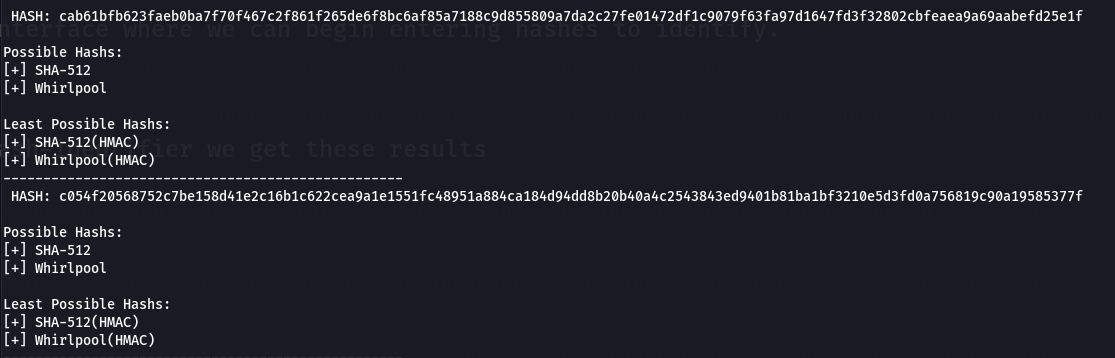
After copying and pasting our hashes one by one into hash-identifier we get these results
Hash 1:
MD5
Hash 2:
SHA-1
Hash 3:
SHA-512
Hash 4:
Whirlpool
Notice how Hash 3 and 4 return the same results, this is because both hashes obviously look the exact same, in this case they are not, Hash 3 is SHA-512 and 4 is Whirlpool. However, this is just something you would have to figure out as the attack progressed seeing there is not an obvious separation between the two CHFs.
Using Hashcat to Find Plaintext Passwords⌗
Now that we know our hash types we can begin creating arguments to pass to hashcat to hopefully find all our plaintext passwords.
Preparing Our Machine By default we should have hashcat installed on our machine if we are using kali, however we can check with the following command:
$ hashcat --version
If you do not see your version of hashcat displayed you will need to install it:
# Make sure repositories have been refreshed
$ sudo apt update

# Install Hashcat
$ sudo apt install hashcat
If you are using a distribution that is not Debian based try using your distros package manager, if this does not work go to the Hashcat Github for installation instructions.
In order to get a plaintext password back we are going to need to pick an attack strategy. Due to the different hash types we cannot use rainbow tables effectively, we also should not start with a brute force attack, therefore we are left with a dictionary attack. In order to do this we need a dictionary, thankfully kali comes with many preinstalled. In order to use it we will need to extract it using this command:
$ sudo gzip -d /usr/share/wordlists/rockyou.txt.gz
This will not return anything to the screen if it worked, so to check to make sure our file has been extracted we can run
$ file /usr/share/wordlists/rockyou.txt

# This should return this output
/usr/share/wordlists/rockyou.txt: Unicode text, UTF-8 text
Now that we have our wordlist we are ready to begin our attacks.
The first thing we will want to do is figure out our options for hashcat, to do this we will run:
$ hashcat --help
This is a lot of information but we will work through it!
There are a few options we will need to use here:
-m (hash type)
-a (Attack Mode)
-o (Specify an Output File)
The attack modes are listed here:
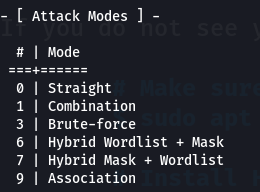
It might not be very clear but we are going to use attack mode 0 or straight mode
Next we will need to choose our hash type. Now every attack will be different for us, but if we use this command we can see all the hash types and choose the ones we need when we need them:
$ hashcat -hh
If you scroll up you can see all of the hash types, but a better way to do this would be using GREP. GREP is a command line tool used to search through the output of a command. Let’s use GREP for hash 1’s hash type:
$ hashcat -hh | grep "MD5"
This output is much better and tells us we need option 0.
Which flags (arguments) will we use?
-a 0
-m 0
-o cracked.txt
Putting It All Together!
When we put all these commands together we should have a command like this for hash 1:
$ hashcat -a 0 -m 0 -o cracked.txt 5eb63bbbe01eeed093cb22bb8f5acdc3 /usr/share/wordlists/rockyou.txt
If everything has gone right the results of our first attack should show a plaintext password. To check we can run the command:
$ cat cracked.txt

#Output
5eb63bbbe01eeed093cb22bb8f5acdc3:hello world
Now we will just need to find the other 3 hash types and substitute them in to the -m option:
Please attempt to find the hash modes before continuing on.
Remaining Hash Modes
Hash 2 = 100
Hash 3 = 17600 (Remember it is really SHA3-512 not just SHA-512)
Hash 4 = 6100
In the end a final command should show us all of our hashes:
$ cat cracked.txt

#Output
5eb63bbbe01eeed093cb22bb8f5acdc3:hello world
ee8d8728f435fd550f83852aabab5234ce1da528:iloveyou
cab61bfb623faeb0ba7f70f467c2f861f265de6f8bc6af85a7188c9d855809a7da2c27fe01472df1c9079f63fa97d1647fd3f32802cbfeaea9a69aabefd25e1f:Nirvana
c054f20568752c7be158d41e2c16b1c622cea9a1e1551fc48951a884ca184d94dd8b20b40a4c2543843ed9401b81ba1bf3210e5d3fd0a756819c90a19585377f:lakers
These are all of our plaintext passwords. Due to the fact they were just in a straight wordlist, these were incredibly easy for us to break.
Conclusion⌗
In closing, I hope that you now feel more knowledgeable on password cracking techniques, but more importantly, I hope you have learned something about password security. You should now be able to see just how important not only password complexity’s, or length are. But also, how bad password reuse can be. This is a very brief overview of password attacks and they get much deeper than this. If you would like to try your hand at some other challenges, spanning different hash types, operating systems, and even tools, you should check out the Weber State Cyber Club’s Passwords Section. There are also a multitude of resources out there on the mathematics behind hash functions, my personal choice for these things is oddly enough Wikipedia it is very helpful at giving you an overview of these topics. Thank you for participating in this lab. I hope you learned a lot and enjoyed the format!
Until Next Time!
The Professor